
Modular Retail Displays: Build Adaptable Store Layouts
Learn how modular retail displays help brands refresh layouts, reuse fixtures and adapt stores for seasonal campaigns and changing collections.
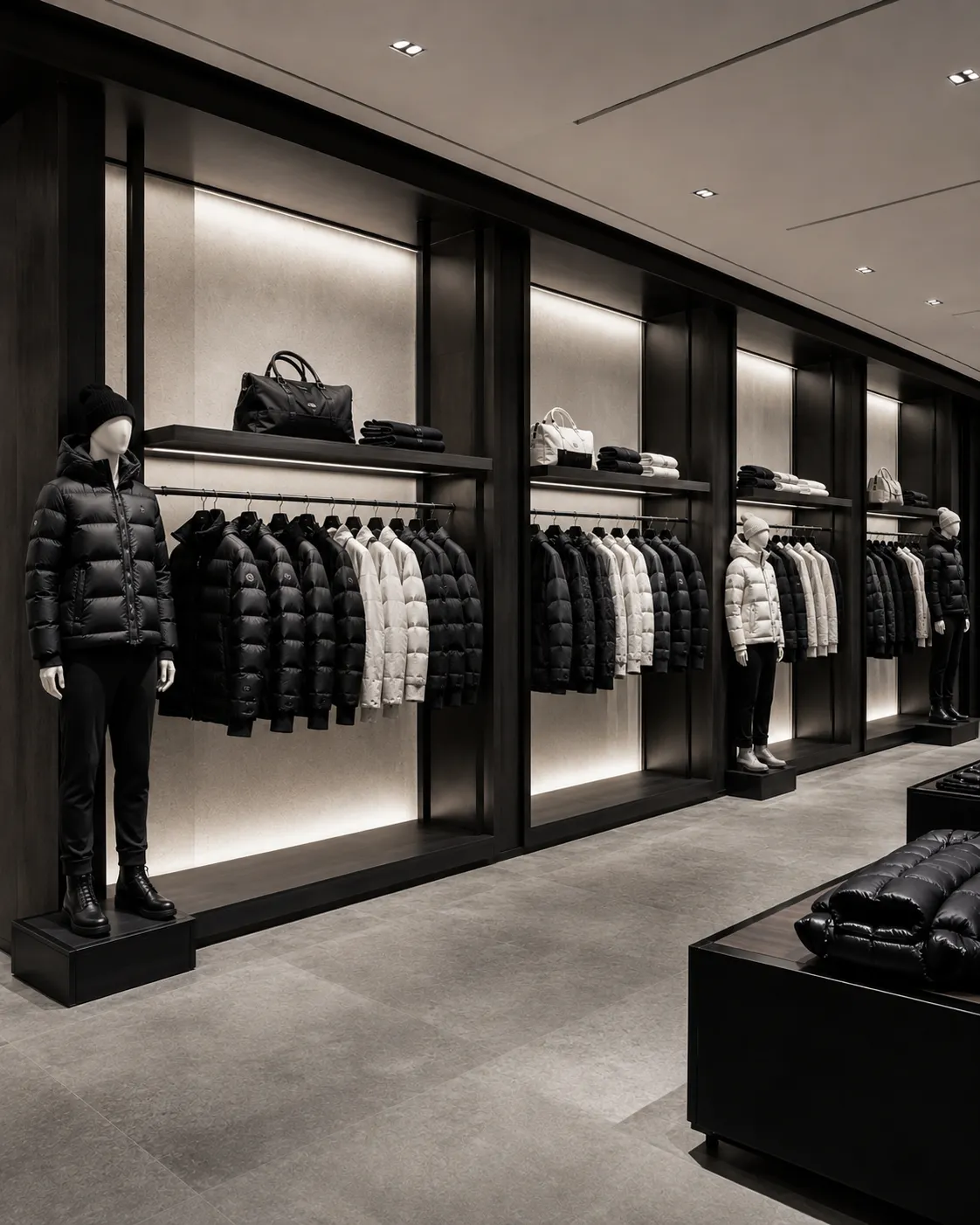
Modular retail displays give visual merchandising teams a consistent set of components that can be rearranged as collections and campaigns change. Instead of designing every window or floor set from zero, brands create a flexible kit of parts. The result can reduce production repetition, simplify rollouts and still leave room for local creativity.
What makes a display modular?
A modular system uses compatible dimensions, connection points and finishes. Plinths may stack or sit side by side. Rails can move between bases. Mannequins share hardware and visual language. Prop surfaces can accept removable graphics or covers. Each component works alone but becomes more useful in combination.
Start with recurring store needs
Review several seasons of store plans before designing the system. Identify common product categories, window sizes, campaign frequencies and installation constraints. The best modules solve repeated problems: creating height, defining a product zone, supporting garments, carrying graphics or helping a display change quickly.
Create a controlled family of dimensions
Too many sizes reduce compatibility and complicate packing. Select a small set of widths, heights and footprints that work together. Consider doorways, elevators, stockrooms and customer circulation. A module should fit the store before it fits the presentation drawing.
Use a consistent material language
Compatibility is visual as well as mechanical. Repeating wood tones, metal finishes, fabrics and colors allows old and new components to work together. Campaign-specific surfaces can be removable, while core structures remain neutral enough for long-term use.
Coordinate mannequins and props
Mannequins should be considered part of the system. Shared bases, finish families and body proportions make groups easier to compose. Standing, seated and torso forms can provide variety without losing coherence. Accessories such as display heads and hands extend the same language to smaller merchandise.
Design connections for store teams
Connections must be secure, understandable and difficult to assemble incorrectly. Avoid unnecessary tools and loose hardware. Label components and provide a visual guide. A system that is elegant in the sample room but confusing during a night installation will not deliver its intended value.
Plan transport and storage
Nesting, flat packing and stackable cartons can reduce storage volume. Protective surfaces should be reusable where practical. Confirm the weight of every packed module and how many people are required to move it. Store-level carton labels make distribution and returns easier.
Balance standardization with local flexibility
Flagship stores, boutiques and shop-in-shops may need different quantities and configurations. Build several approved layouts from the same component library rather than forcing one plan into every location. Local teams gain flexibility while the brand keeps control of materials and composition.
Pilot before a full rollout
- Install the system in one or two representative stores.
- Time assembly and campaign changeover.
- Check stability, surface wear and storage requirements.
- Collect feedback from visual and operations teams.
- Revise instructions, packaging and component quantities.
Measure the value over several campaigns
Initial cost alone does not show whether a modular program is successful. Track reuse, replacement rate, installation time, freight volume and the number of layouts supported. These measures reveal where the system saves effort and where a module needs improvement.
Adaptability should feel intentional
Modularity is not a visual style. A system can be minimal, luxurious, colorful or highly tactile. Its value comes from disciplined compatibility behind the scenes, allowing each customer-facing arrangement to feel complete.
Maintain a configuration guide after launch. Photograph approved layouts, list the modules used and record any safety limits. The guide gives local teams practical freedom without asking them to reinvent structural decisions, and it helps headquarters compare which combinations perform best.
Browse XINTU Display’s display products or share your store rollout brief with our team.